
CPA Pro · Copy Paste Add · Windows
Type fewer numbers.
Analyze more.
Capture, verify, calculate and analyze numbers from webpages, receipts, invoices, PDFs, spreadsheets and business applications. All CPA Base capabilities, plus a professional toolkit for working with numbers.
15 successful captures free · No credit card required · $19.99 USD one-time license
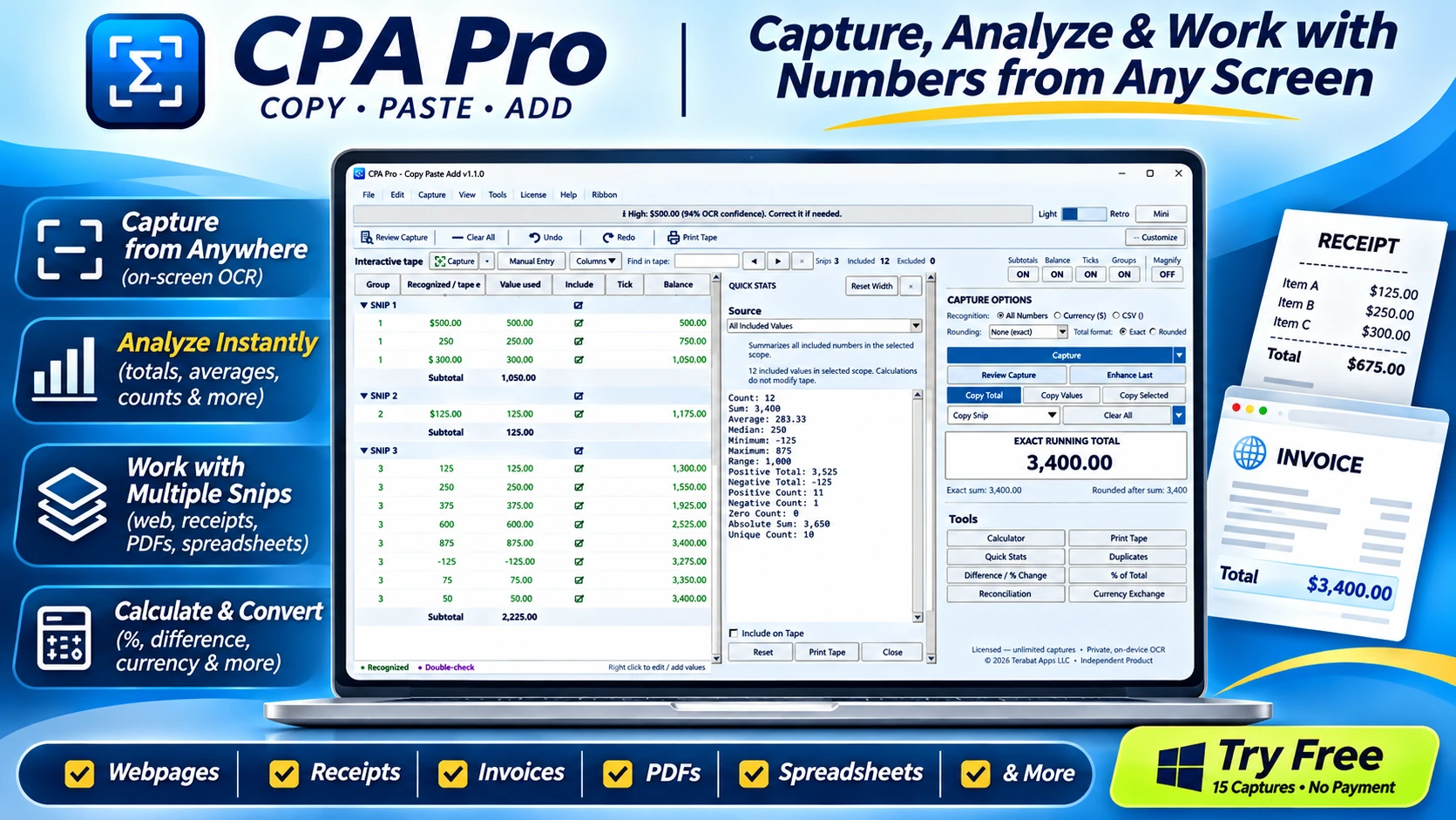
Flexible workspaces
Choose the workspace that fits your task.
Switch between a detailed workspace and a compact capture experience while working with the same calculation session.
Full
Detailed Interactive Tape and advanced analysis tools for bigger jobs.
Focus
A more compact workspace when you want fewer distractions.
Mini
Compact capture, current subtotal and running total, with the CPA Base feature set.
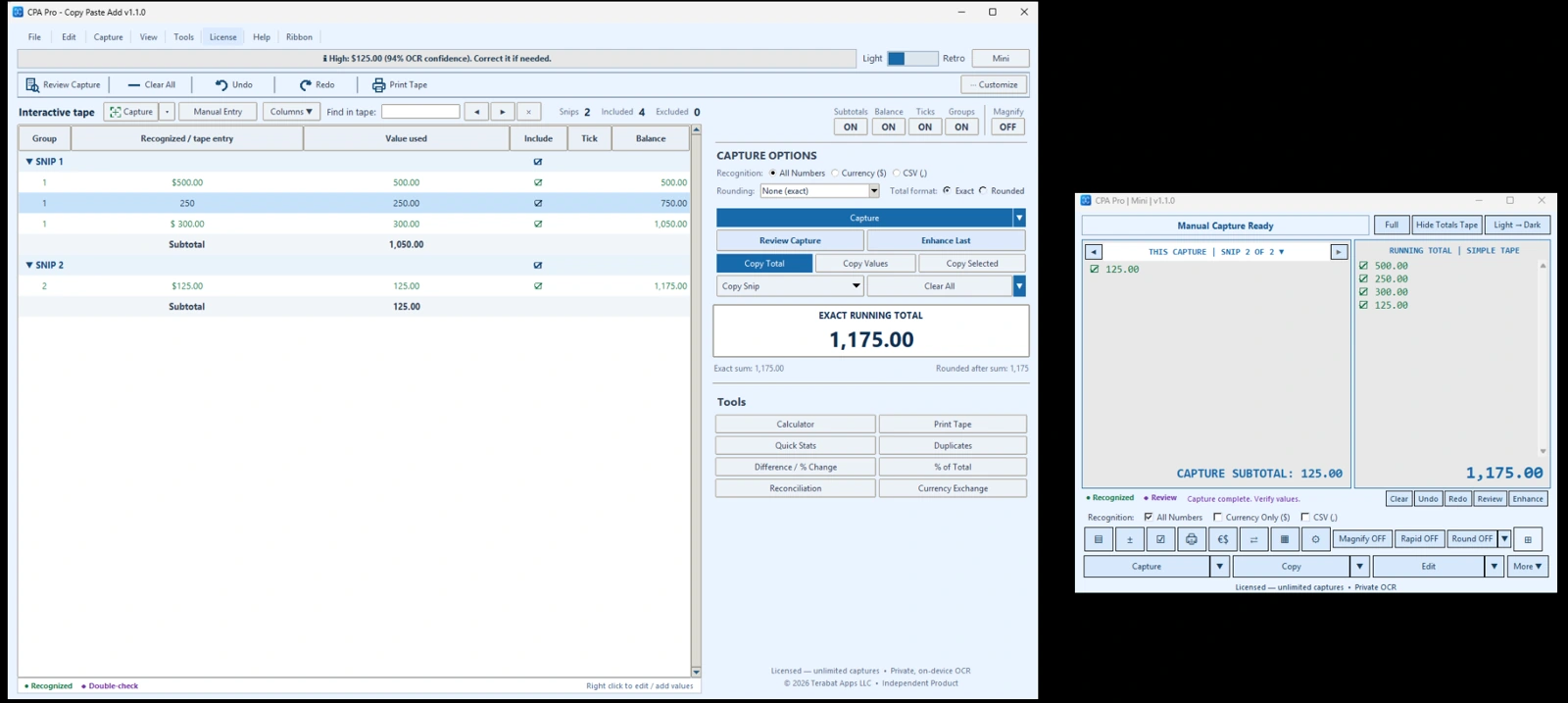
Interactive Tape
Keep control of every number.
Work across multiple capture groups with subtotals and a running balance. Customize visible tape columns, add values manually, use tick marks, and include or exclude individual entries without deleting the source capture.
Review the results before relying on them. A confidence indicator is a useful guide, not a guarantee of OCR accuracy.
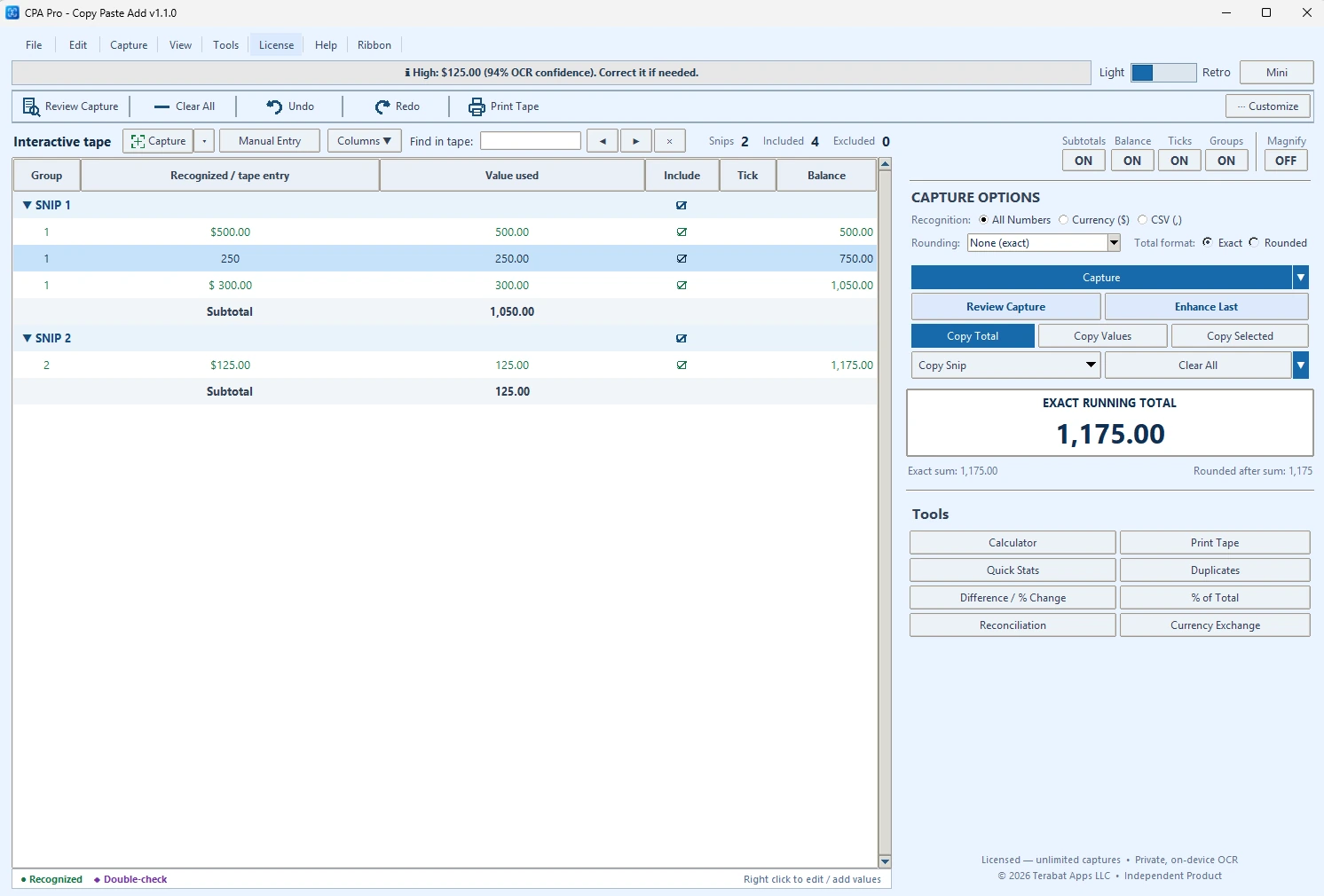
Advanced productivity tools
Go beyond adding.
Use selected or included tape values to explore calculations, check differences and prepare your work for review.
Quick Stats
Count, sum, average, median, minimum, maximum and more.
Reconciliation & duplicates
Compare amounts and inspect potential duplicates as part of a review workflow.
Percentages & calculator
Calculate difference, percentage change and percentage of total, or use the integrated calculator.
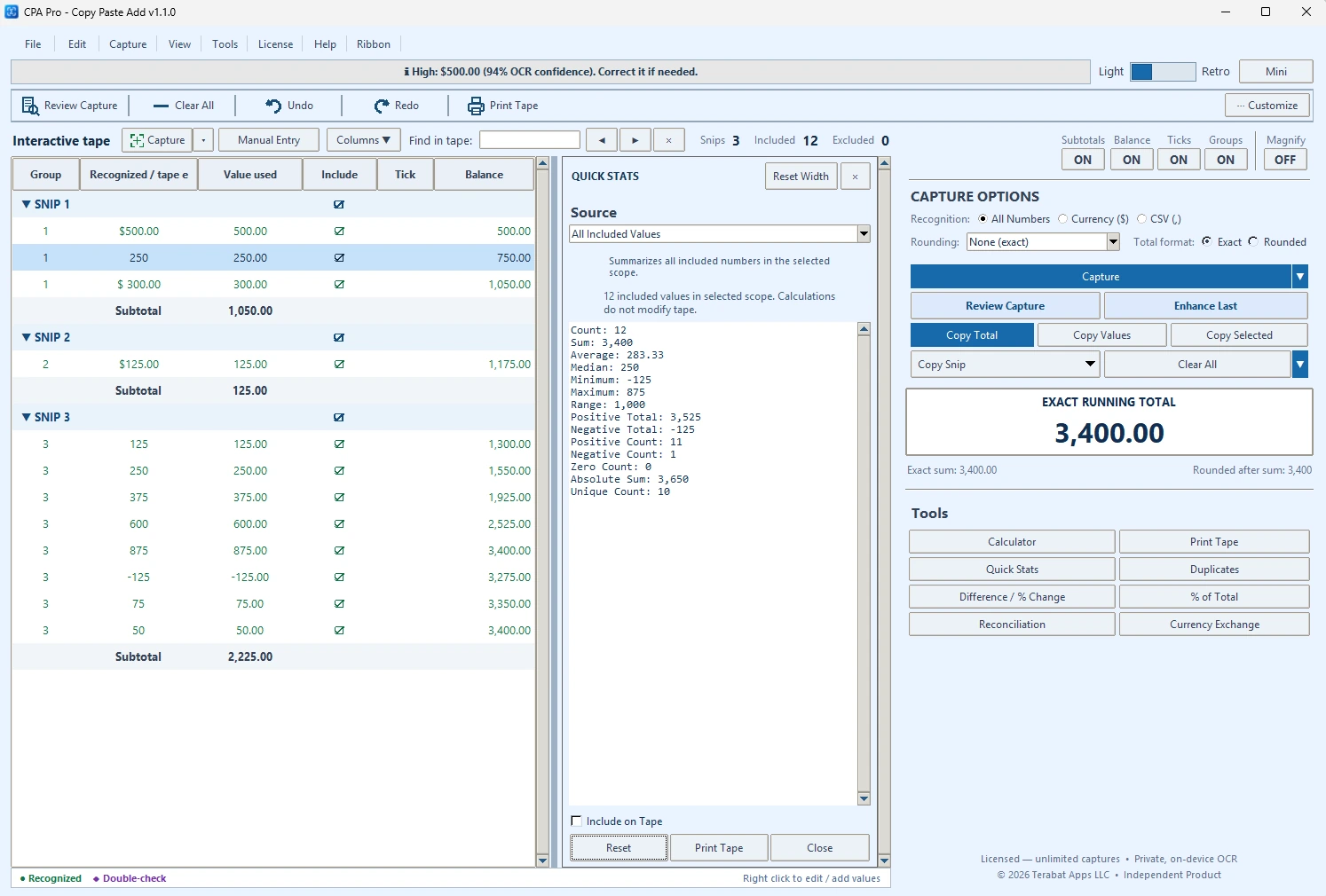
Calculate and document
Convert currencies. Keep a record.
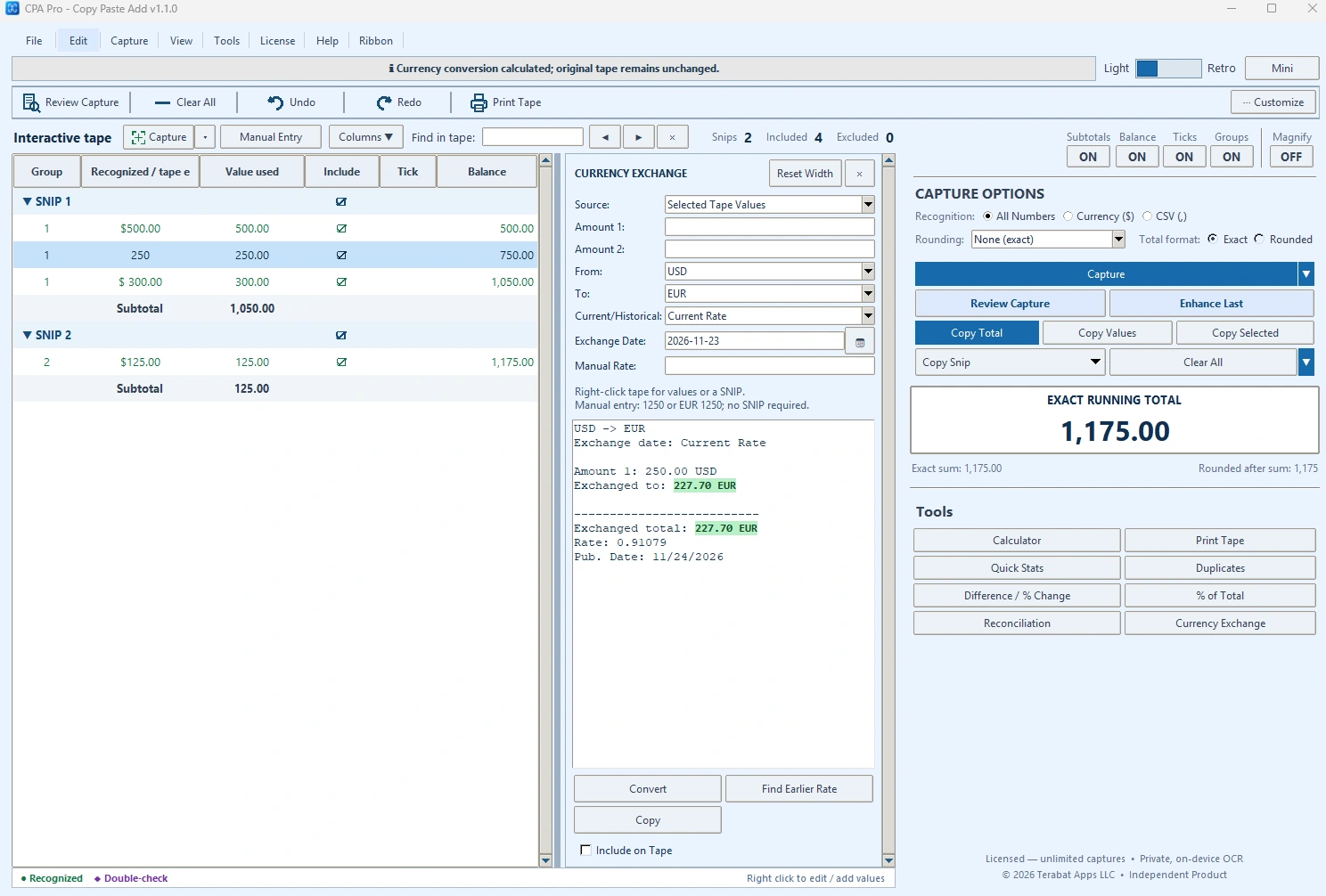
Currency Exchange
Convert selected values with current, historical or manual rates. Online rates require connectivity and may differ from transaction rates.
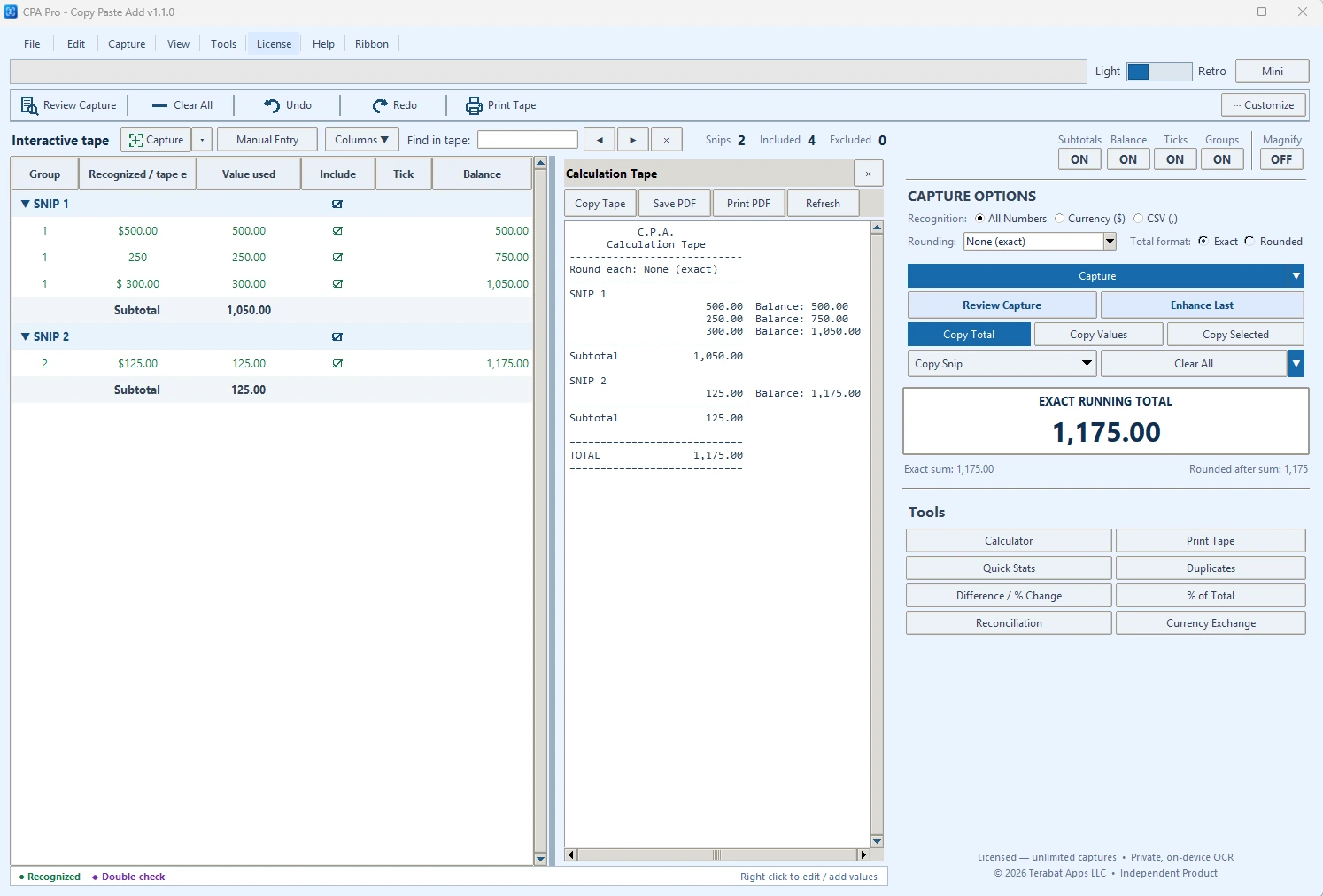
Print or save your tape
Copy your calculation tape, print it or save a PDF with subtotals and totals for your records.