FEATURES

Built for people who work with numbers.

Everything you need to get numbers out of a document and into a usable calculation.
CAPTURE

Any visible application

Select numerical content from supported Windows applications, including Excel, PDF viewers, and browsers.
REVIEW

Confidence indicators

Green recognized values, purple double-check notices, and unreadable values that require review.
EDIT

Correct before using

Manually edit OCR results and include or exclude values without altering the original source.
MATH

Running totals and rounding

Add across multiple captures; use exact or rounded results with selectable rounding behavior.
TRANSFER

Excel-ready column or CSV

Copy raw numbers as lines or comma-separated values. Keep source separators out of the result.
RECORDS

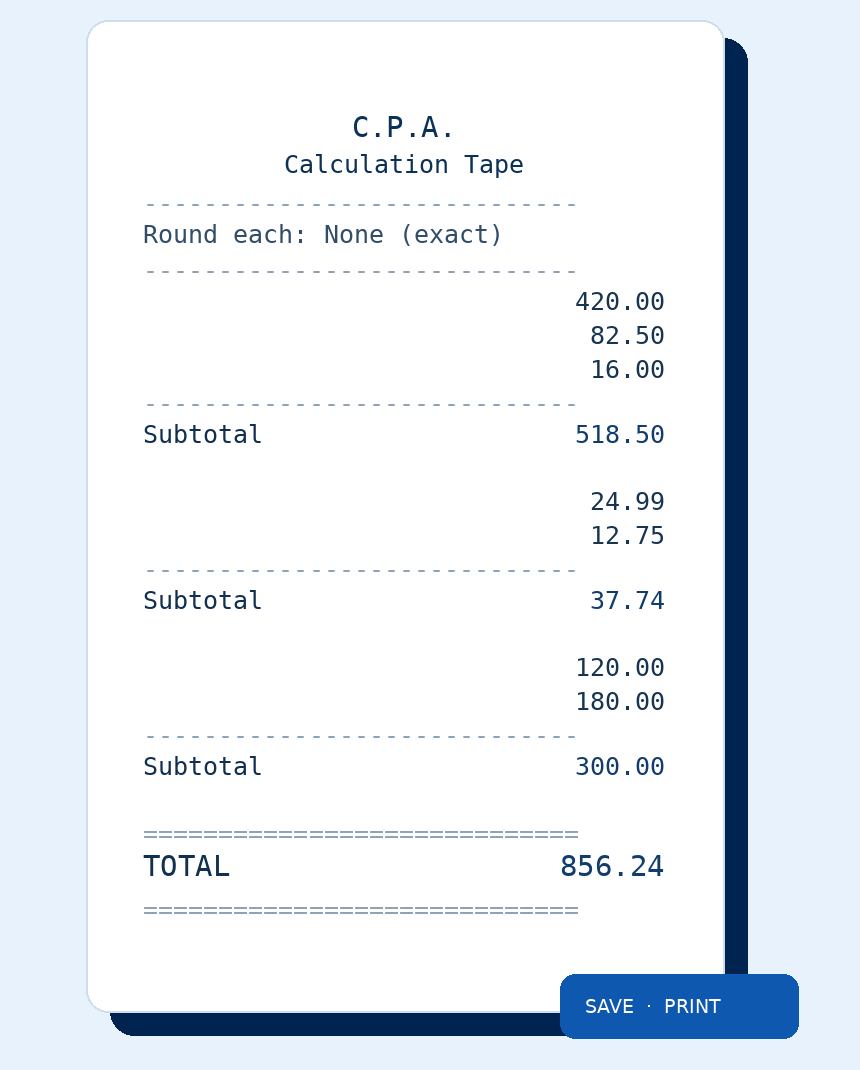
Calculation tape

Review your grouped calculations, optionally show subtotals, and prepare a PDF or printout.
MULTIPLE SNIPS. MULTIPLE SOURCES.

Grab a little here. A little there.
Add it all together.

Capture a set of numbers from a PDF, grab another from a website, then add more from a spreadsheet or app. Every snip joins the same running calculation in Mini or Full Mode.
01 · PDF / FINANCIAL REPORT

Invoice amounts

$420.00
$82.50
$16.00
02 · WEBSITE

Online price list

24.99, 12.75
03 · EXCEL / APP

Scattered cells

120     180
ONE LIVE CALCULATION

One running total

856.24
All three captures stay in the same session.
Works across visible Windows applications. Recognition may vary with image quality; double-check flagged values before relying on totals.
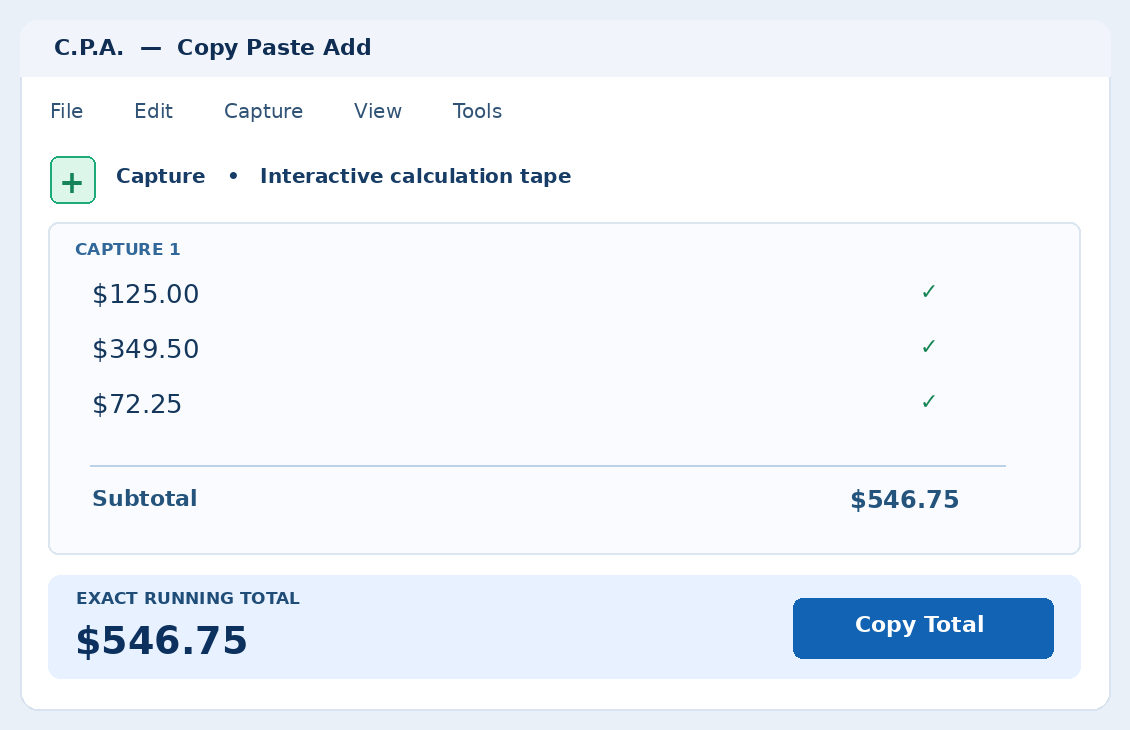
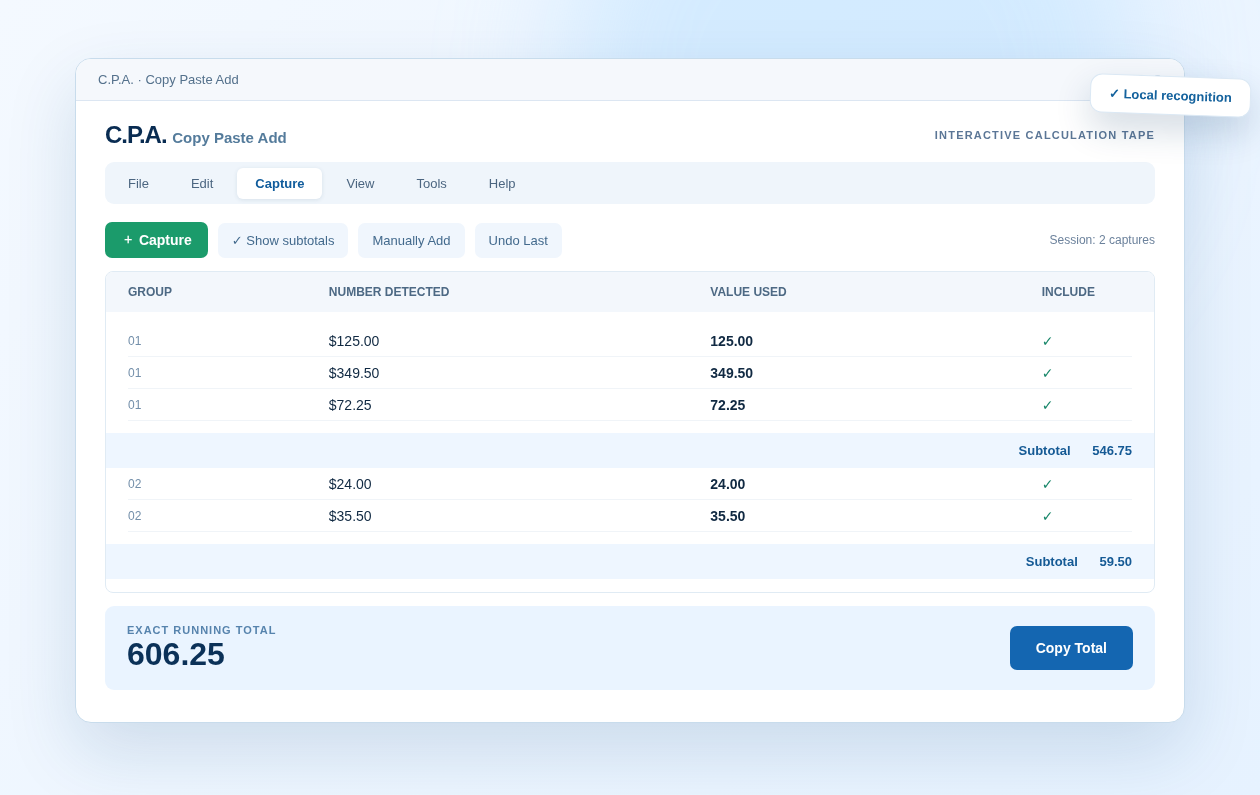
INTERACTIVE TAPE

A practical workspace for checking every figure.

Group captures, correct values, exclude entries, review subtotals and keep the running total in view.
Illustrative interface preview — real Windows application currently in development.
BUILT FOR WINDOWS

Stay in your workflow.

Alt+Q capture, multiple displays, optional magnification, and Quick, Mini, and Full operating modes.
PRINT / SAVE YOUR WORK

A real adding-machine tape. Without the paper roll.

Keep a running tally across many captures, review each amount, and produce a clean traditional calculation tape when you are done. Print it or save it as a PDF for your records.
Optional per-capture subtotals, a final grand total, and a customizable three-line tape header. Printed tapes omit on-screen snip IDs for a cleaner result.
Illustrative printed tape with three source groups and a final total.